Getting started
What Khuwari is, how to open it, and how a project becomes one tidy file.
What is Khuwari?
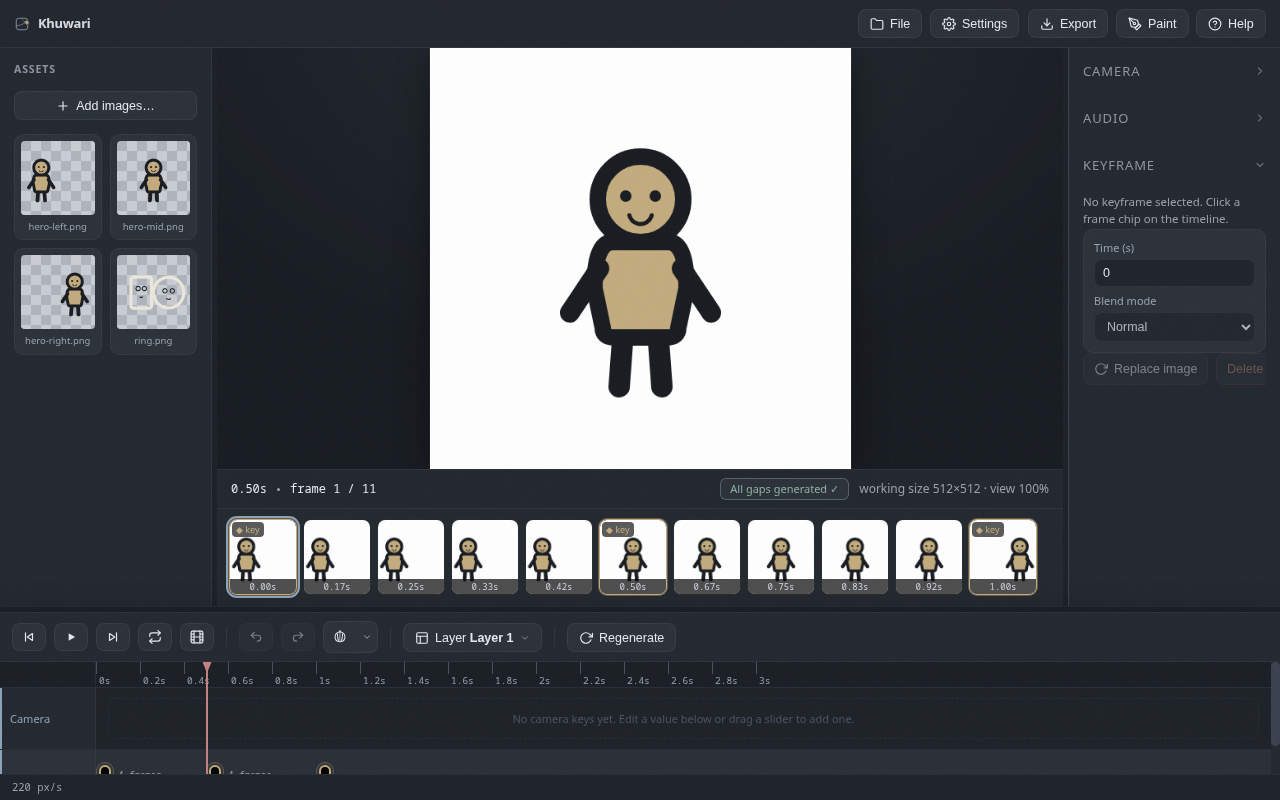
Khuwari is an animation tool that lives in your browser. You draw or import the poses that matter, drop them on the timeline, and a machine learning model draws everything in between. You do the fun parts; it sweats the boring parts.
The idea
- You make the key poses, called keyframes.
- Khuwari makes the frames between them, called inbetweens, so you never have to.
- Everything runs in your browser. The model downloads once, and your art never leaves your machine.
Open the app
The easiest way is to open the app straight from the Khuwari website, right in your browser. No install, no account, no "please enable notifications" dance. This is the recommended way to use Khuwari.
Prefer to host it yourself? Khuwari is a static site, so any file server works.
- Serve the project folder, for example with
python3 -m http.server 4000. - Open
http://localhost:4000in your browser.
The start screen can start a new project, load an existing .khuwari file, or open the bundled example project. Load the example and press play: it is the fastest way to see a finished animation without drawing a single frame.
Project files
Projects save as .khuwari files, one file per project, easy to version and share.
- Use
Filein the toolbar, thenSave project (.khuwari), to download one. - Use
File, thenLoad project, to bring one back. - A project file holds your layers, keyframes, gaps and settings. If you can send a file, you can send your animation.