Gaps & inbetweens
Machine learning, squash and stretch, no inbetweens, motion blur and regeneration.
What is a gap?
The space between two keyframes on the same layer is a gap. Click the gap chip on the timeline to open its options in the right panel, and the inbetweens are generated there.

Machine learning
The default mode. A machine learning model generates the inbetween frames, which gives the most natural motion for complex art. This is where Khuwari shines.
Squash and stretch
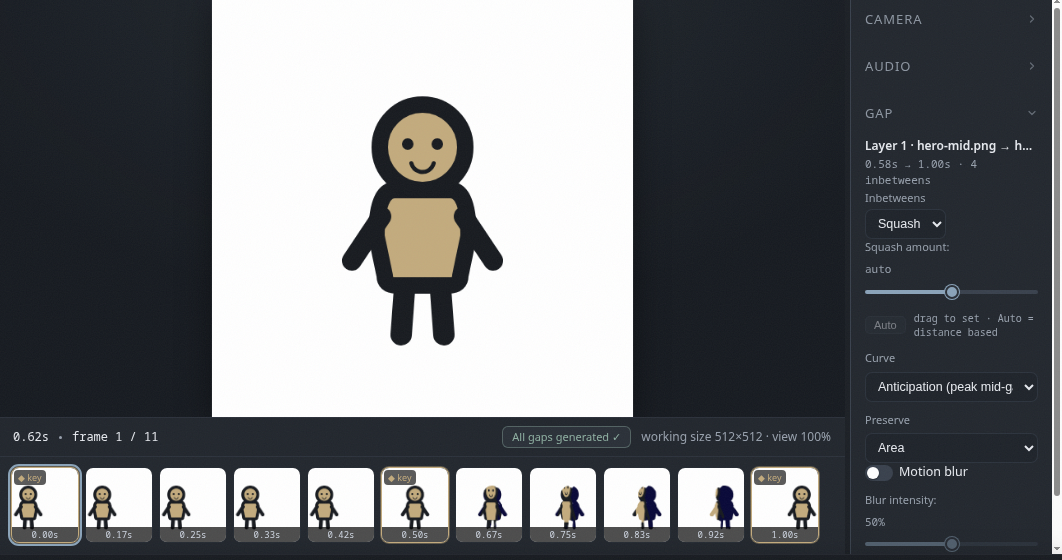
A stylized deformation for cartoon motion.
- Amount controls how strong the deformation is, or set it to auto for a distance based value.
- Curve picks the motion: anticipation (peak mid-gap), impact (builds to the end), ease (smooth) or linear.
- Preserve keeps area or volume constant while deforming.
No inbetweens
No inbetweens at all. The first keyframe simply holds until the next one starts. Good for flashes, cuts and text.
Motion blur
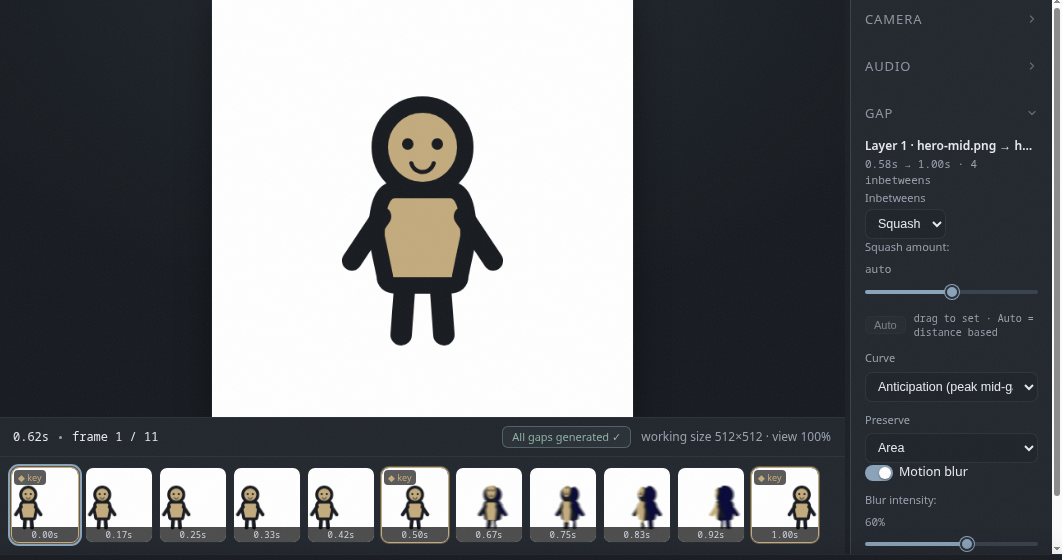
A per gap toggle. When on, the inbetweens smear along their motion, and the blur eases in and out with the movement.
- The intensity slider controls how strong the smear is.
- It is designed to mask small imperfections in generated frames.
- It works on color layers too.
Regenerate
Inbetweens regenerate automatically whenever your keyframes change. To force a full refresh, use the regenerate button above the timeline, to the right of the play buttons.